Layout Definitions
Layout Definitions are defined per site.
Layout Definitions are essential for customizing the appearance of your Point of Sale (POS) system. They are specific to each site, allowing you to create a tailored layout that suits your needs.
View Layout Definitions
In this section, you can easily view all your Layout Definitions in a clear and organized list.
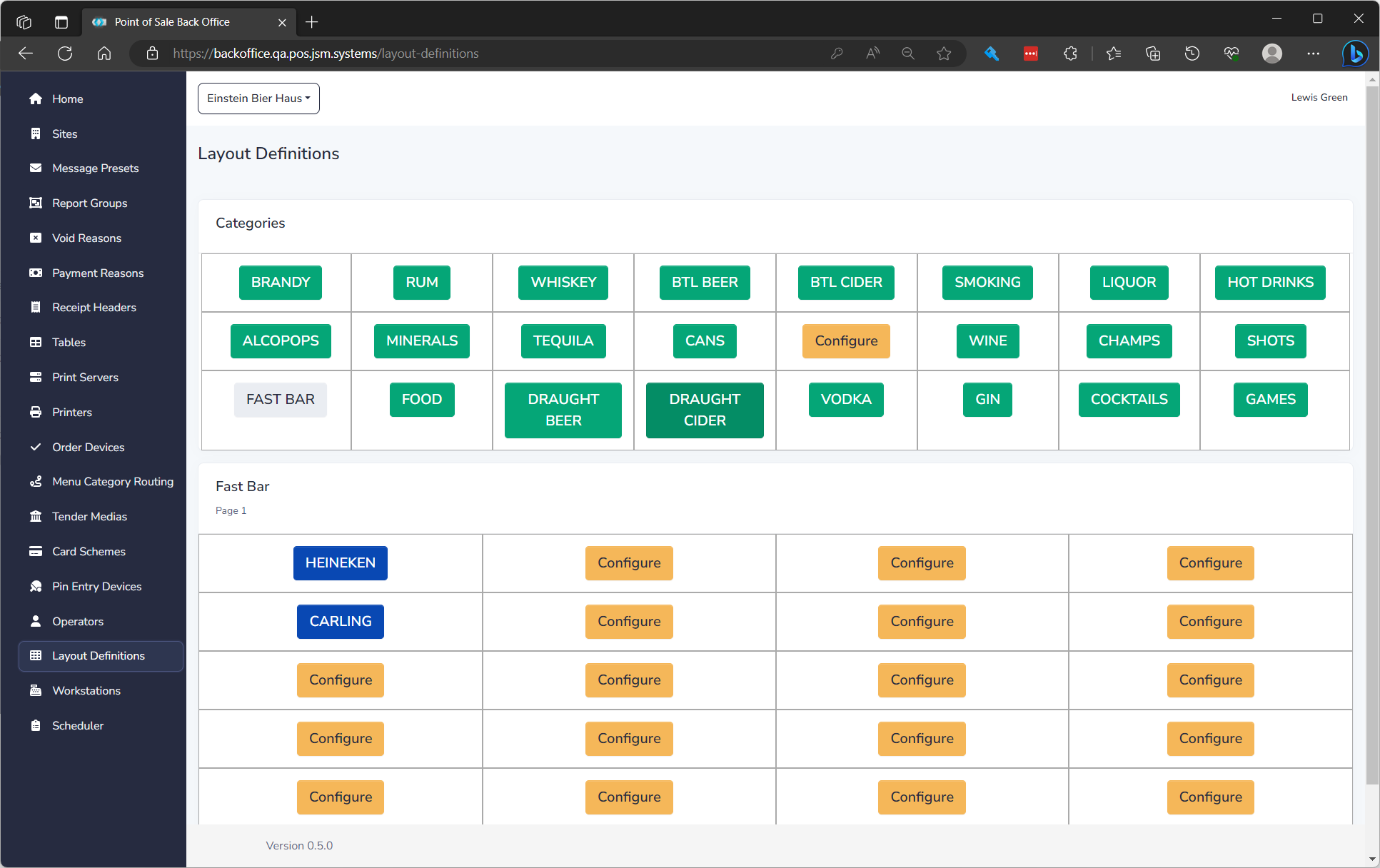
The list displays of all Layout Definitions and the following details:
The colours mean different things: | Colour | Usage | | -- | -- | | Yellow | Not Configured and will not show up | | Green | Categories | | Blue | Menu Item | | Grey | Fast Bar Shortcut |
Create a Layout Definition
To create a new Layout Definition, simply click on the "New" button. This will allow you to define a new button and its properties, as explained in the next section.
Edit a Layout Definition
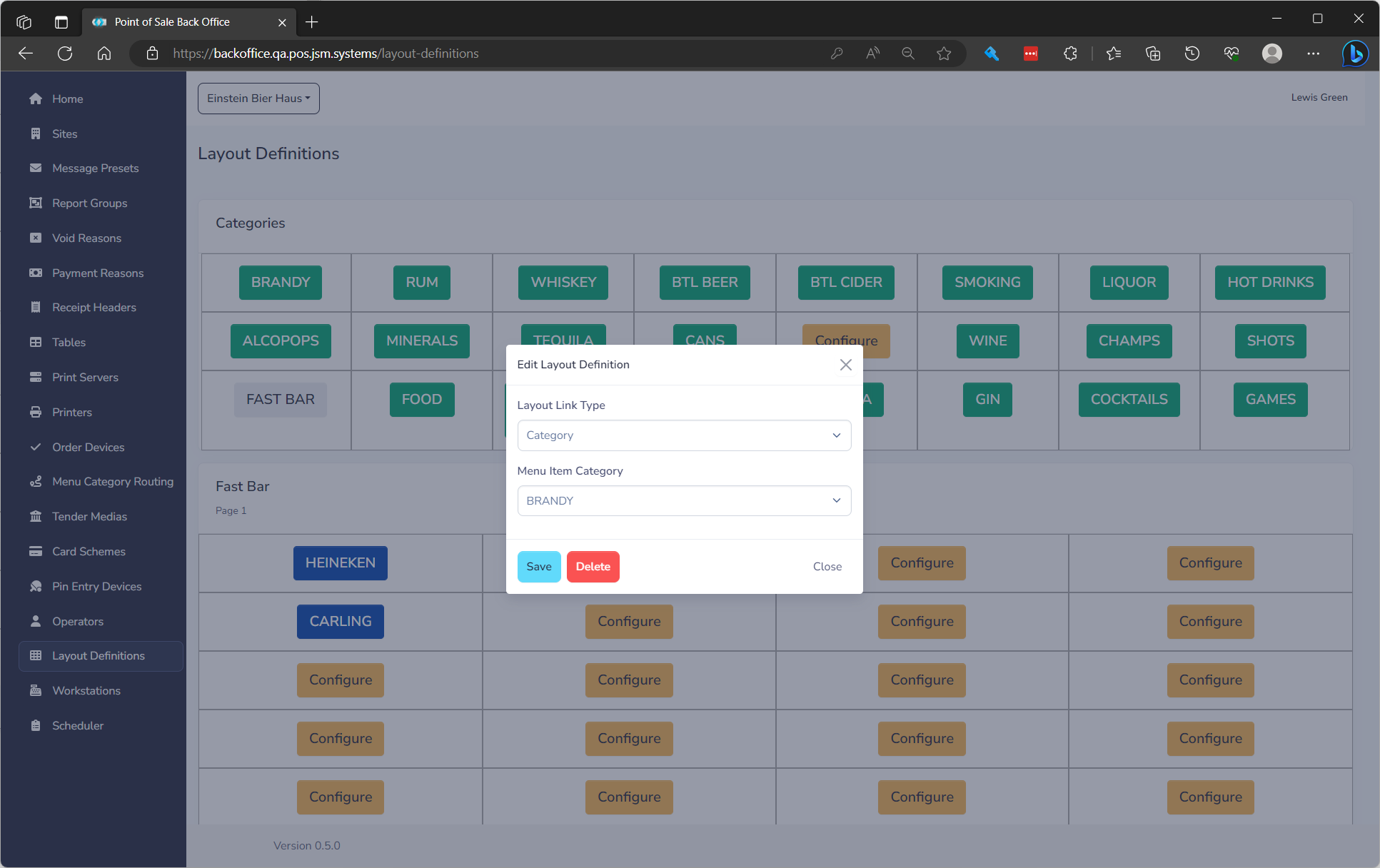
If you need to make changes to an existing Layout Definition, locate the desired button and click on the button. You will be presented with a form where you can modify the following fields:
| Field Name | **Description ** | Required |
|---|---|---|
| Link Type | What the button links to | Yes |
| Item | The menu item or category to go to based on above choice | Yes |