Sites
Sites is used to define each venue operating on POS.
View Sites
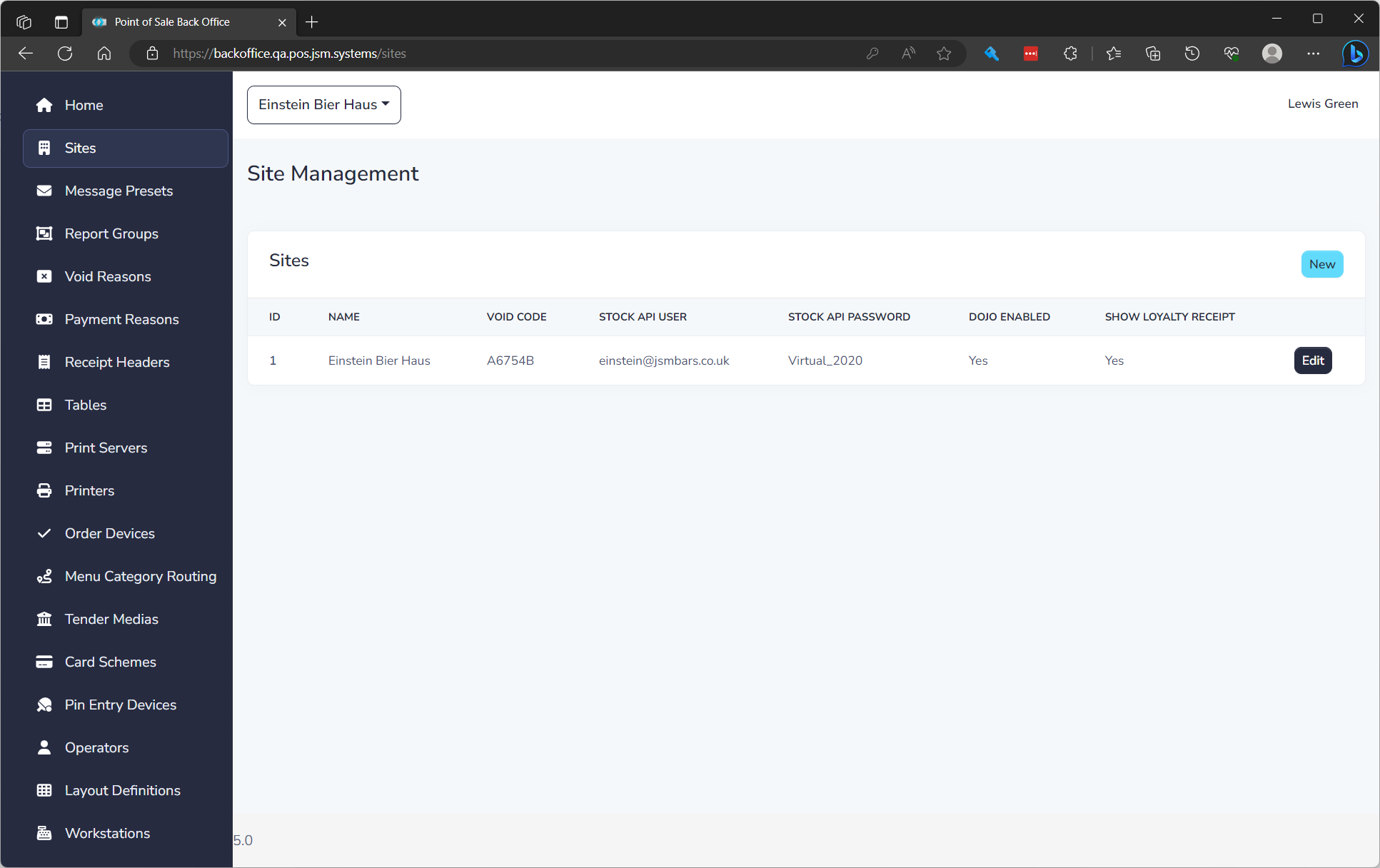
The list displays of all sites and the following details:
| Field Name | **Description ** |
|---|---|
| ID | Unique ID per venue |
| Name | Name of Venue |
| Void Code | Code to be on mag stripe or QR Code to void |
| Stock API User | Username to login to Stock and Cashup |
| Stock API Password | Password to login to Stock and Cashup |
| Dojo Enabled | If Dojo Account Name and API Key are filled in Dojo is turned on |
| Show Loyalty Receipt | Show the Loyalty information on the receipt |
Create a Site
To create a site click New. You will need the Stock login to add it. See editing a site below to understand properties.
Edit a Site
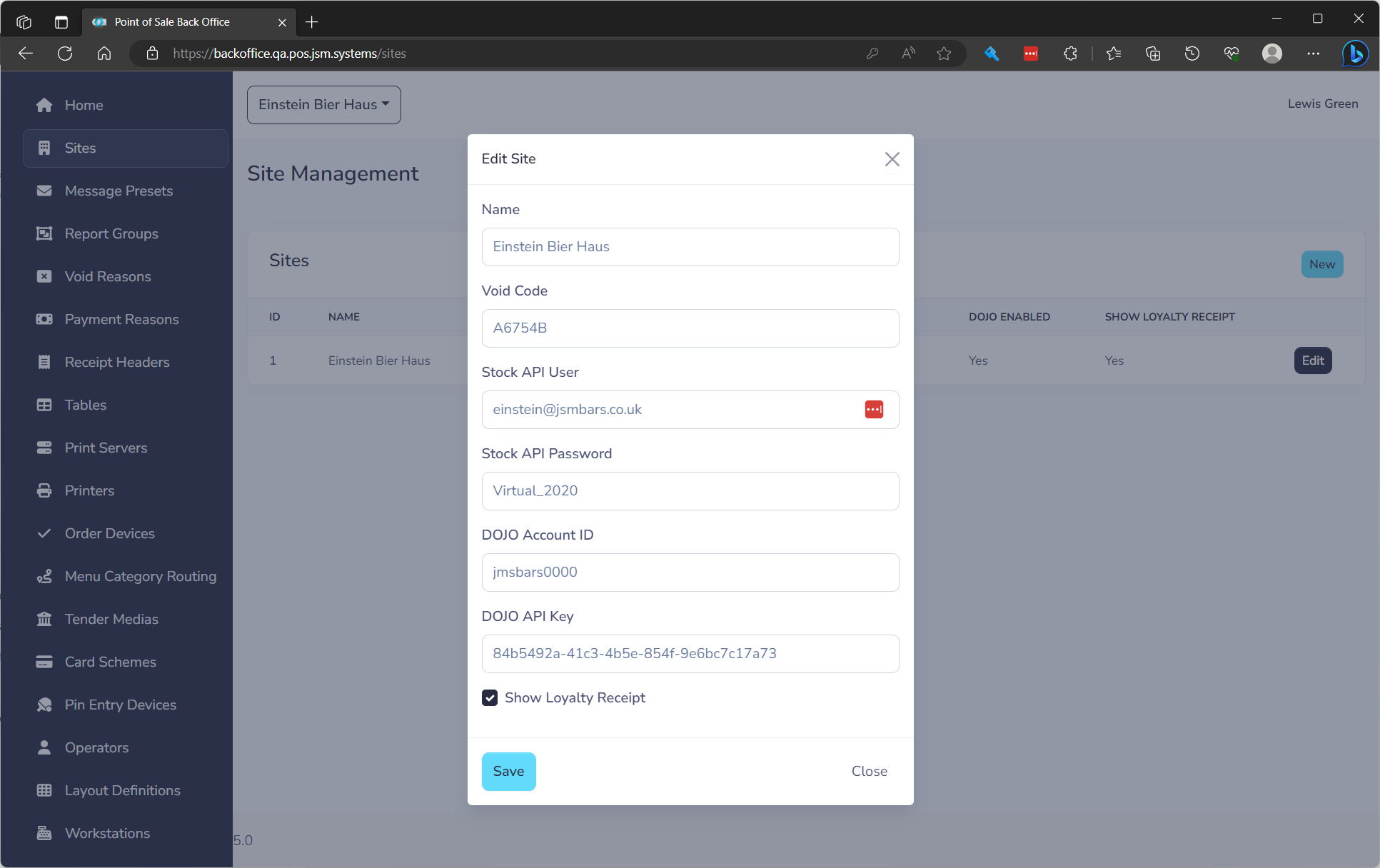
to edit click the Edit button on the row. You will need to fill in the following fields.
| Field Name | **Description ** | Required |
|---|---|---|
| Name | Name of Venue | Yes |
| Void Code | Code to be on mag stripe or QR Code to void | Yes |
| Stock API User | Username to login to Stock and Cashup | Yes |
| Stock API Password | Password to login to Stock and Cashup | Yes |
| Dojo Account ID | Dojo provided Account ID | No |
| Dojo API Key | Dojo provided API Key | No |
| Show Loyalty Receipt | Show the Loyalty information on the receipt |