Menu Categories
Menu Categories are defined per site.
Routing
Menu Category are used to set where a menu item will print if it goes to dispense.
It works in a hierarchical approach. This means if you have nested categories it will use the closest order device.
For example
Vodka -> Flavoured Vodka
If you set BAR DISPENSE to Vodka, when you choose a Flavoured Vodka, which has no order device defined, it will then use Vodka.
Another example
Food -> Mains -> Burgers
If you had Food set to KITCHEN DISPENSE and Burgers set to SPECIAL KITCHEN PREP DISPENSE
You then had a menu item in Mains it would go to KITCHEN DISPENSE If you had a menu item in Burgers it would go to SPECIAL KITCHEN PREP DISPENSE
View Menu Category Routings
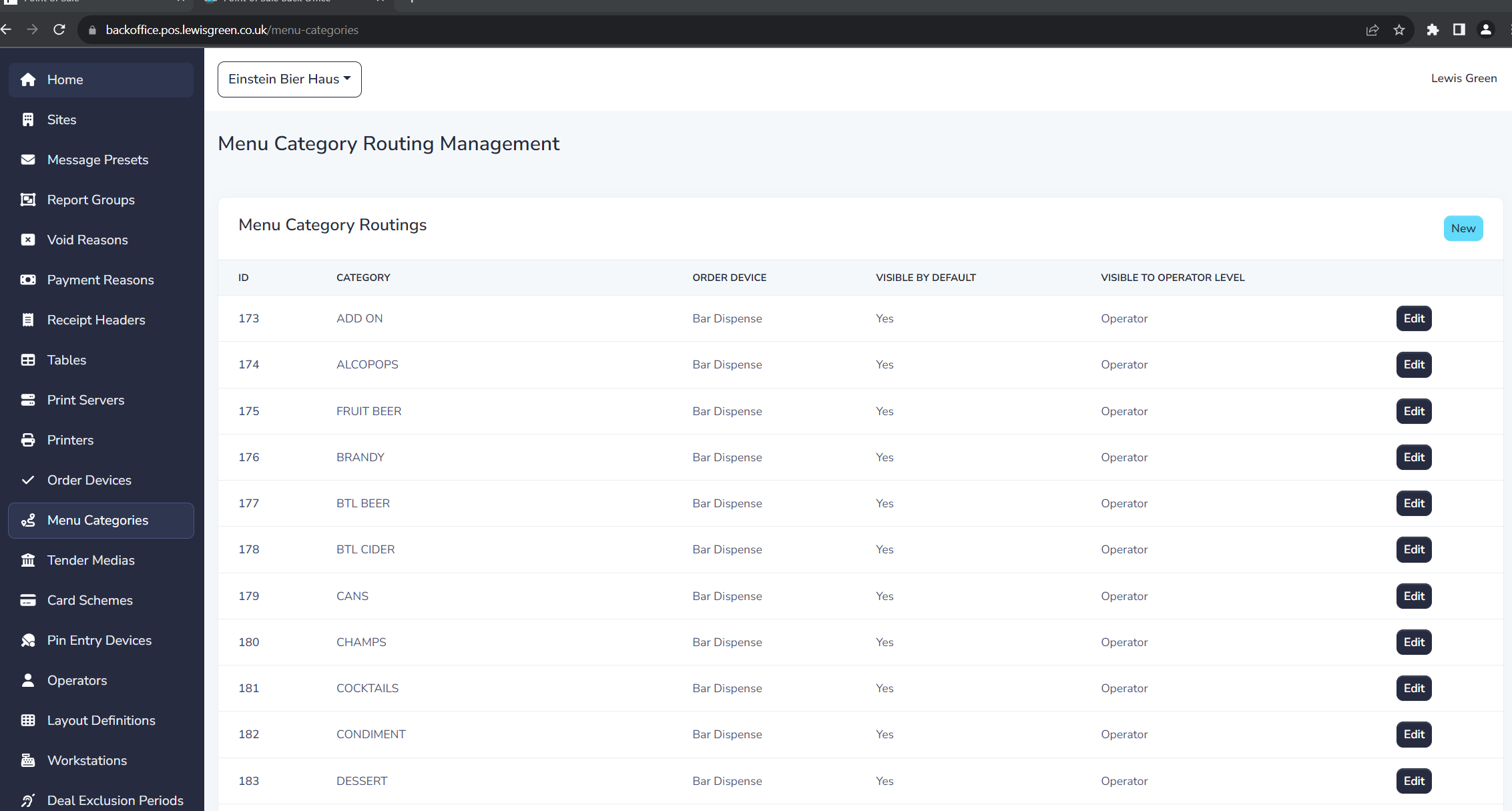
The list displays of all Menu Category Routings and the following details:
| Field Name | Description |
|---|---|
| ID | Unique ID for item |
| Category | Menu Category |
| Order Device | Where to send the item |
| Visible by Default | When to use the menu items in this category when no restrictions are mapped. If used in a restriction this is ignored |
| Visible to Operator Level | What Operator Level can use menu items in the category |
Create a Menu Category
To create a Menu Category Routing you need to create it in the Stock system.
Edit a Menu Category
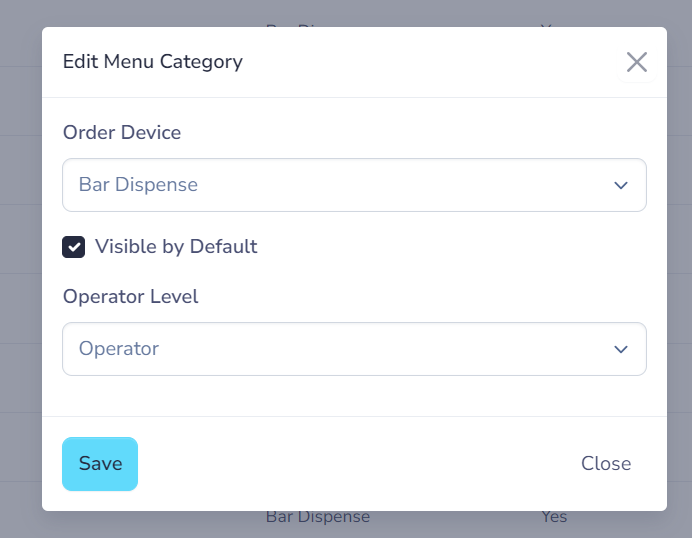
to edit click the Edit button on the row. You will need to fill in the following fields.
| Field Name | **Description ** | Required |
|---|---|---|
| Order Device | WHere to send the item | Yes |
| Visible by Default | When to use the menu items in this category when no restrictions are mapped. If used in a restriction this is ignored | Yes |
| Visible to Operator Level | What Operator Level can use menu items in the category | Yes |