Printers
Printers are defined per site.
A printer is a device that can host a cash drawer, receipt printer or dispense printer. They are connected to a print server
View Printers
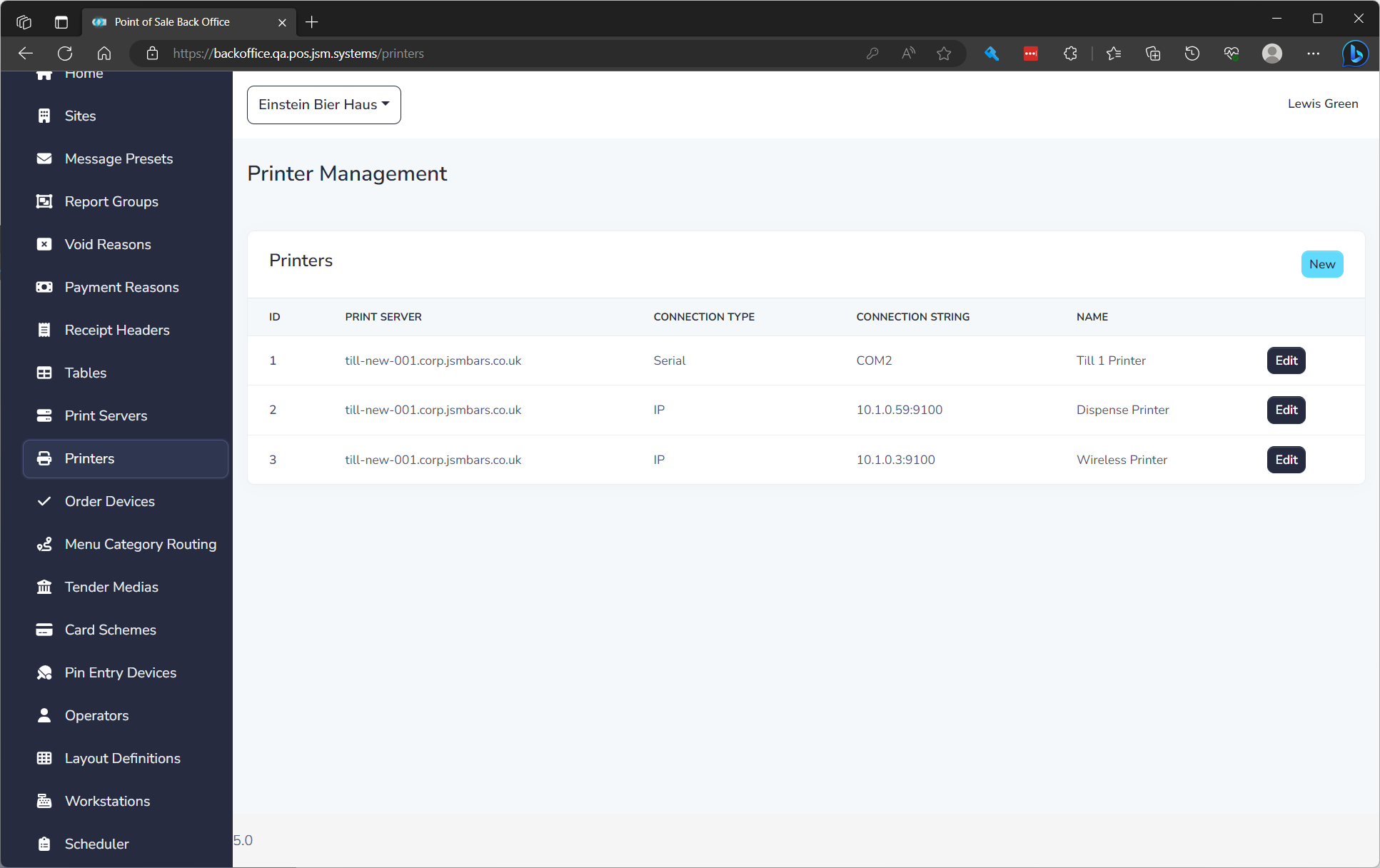
The list displays of all Printers and the following details:
| Field Name | Description |
|---|---|
| ID | Unique ID for item |
| Print Server | Print server hosting the printer |
| Connection Type | Define if it's serial or IP |
| Connection String | The serial port or IP of the printer |
| Name | Name of printer to be visible in POS |
Create a Printer
To create a Printer click New. See editing a Printer below to understand properties.
Serial Printers
A serial printer is fairly easy to setup. You only need the COM port it is connected to for the connection string.
IP Printers
An IP printer's connection string is the IP Address plus the port it is (off the diagnostics print out).
An example is 10.1.0.5:9100.
Edit a Printer
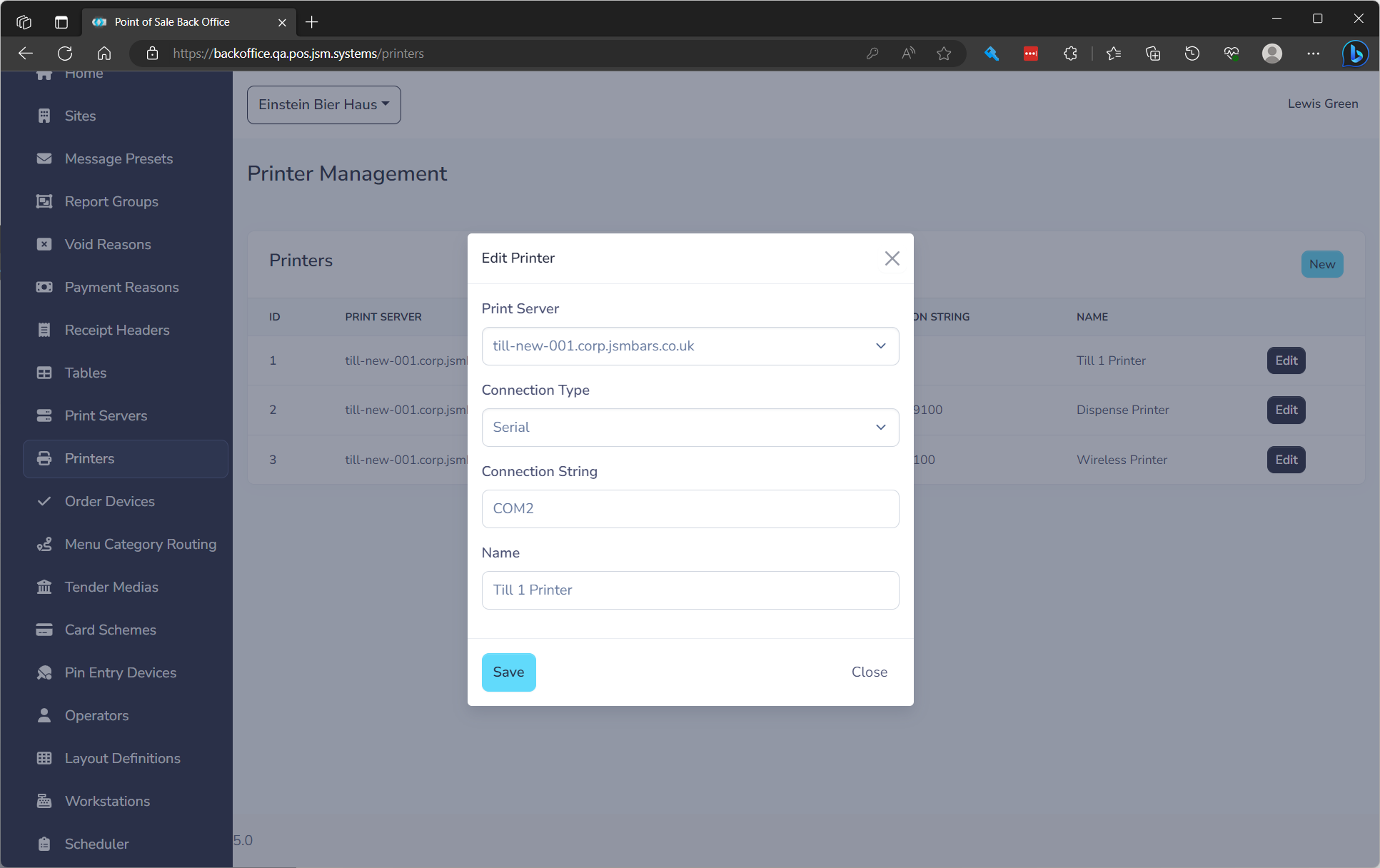
to edit click the Edit button on the row. You will need to fill in the following fields.
| Field Name | **Description ** | Required |
|---|---|---|
| Print Server | Print server hosting the printer | Yes |
| Connection Type | Define if it's serial or IP | Yes |
| Connection String | The serial port or IP of the printer | Yes |
| Name | Name of printer to be visible in POS | Yes |